


Secure file uploads are critical to applications that support this feature.
It is important that the files adhere to the best practices of secure file upload listed below:
The validateFileToUpload class implements the three checks below using ASP.Net:
| public void validateFileToUpload(FileUpload objFile) { int MAX_FILE_SIZE = (4 * 1024 * 1024); //5 MB file size limit //———————————————————— //CHECK #1 //You can set the httpRunTime maxRequestLength to the required //file size in the web.config file too //———————————————————— int fileSize = objFile.PostedFile.ContentLength; if (fileSize > MAX_FILE_SIZE) { returnMessage = “File size exceeds the safe file size limit. Reduce the file size.”; return returnMessage; } //————————————— //CHECK #2 //Check with a white list of extension //————————————— string chosenFileExtension = System.IO.Path.GetExtension(objFile.FileName); string[] allowedExtensions = { “.doc”, “.xls”, “.ppt”, “.pptx”, “.txt” }; if (!allowedExtensions.Contains(chosenFileExtension)) { returnMessage = “Upload Failed: Files with ” + chosenFileExtension + ” extensions are not allowed.”; return returnMessage; } //————————————— //CHECK #3 //Check with a white list of MIME types //————————————— string[] allowedMimeTypes = { “text/plain”, “text/xml” }; string chosenFileMiMeType = objFile.PostedFile.ContentType; if (!allowedMimeTypes.Contains(chosenFileMiMeType)) { returnMessage = “Upload Failed: Files with ” + chosenFileMiMeType + ” MIME types are not allowed.”; return returnMessage; } |
| There are some additional checks that needs to be kept in mind in addition to the 9 checks listed above like double extension files, filename checks for files coming from different operating systems (#4 kind of handles this though).Learnt to keep these checks in mind in a VERY HARD way today :’(( |
Many ways to do it and here is one:
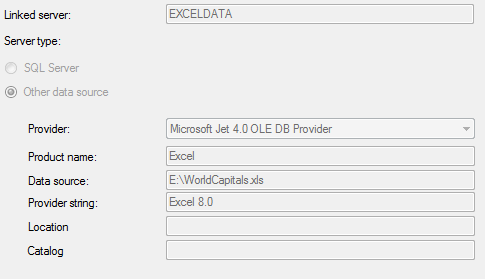
Error: "The type ‘<name of the service class>’, provided as the Service attribute value in the ServiceHost directive, or provided in the configuration element system.serviceModel/serviceHostingEnvironment/serviceActivations could not be found."
The above error was caused by my not providing the full path service name for the Service attribute of the ServiceHost.
Code Snippet:

The value for Service should follow the structure: namespace.class

Few quick findings on the new navigation system in Windows 8:
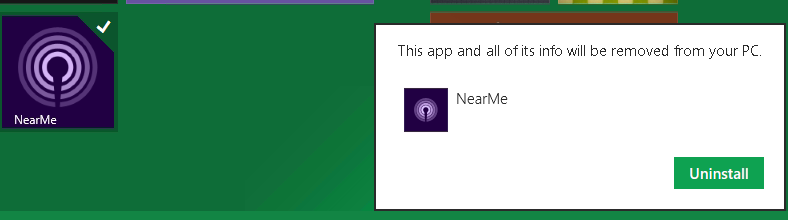
 Select a tile in the desktop – tiled display: Just right click on the tile and the tick will appear at the top right hand corner.

The actions at the bottom are the ones that you can perform on the selected tile. These include:
To open the search window: n the keyboard press:  + F
+ F
 The scoping of the search can be done using the three options provided below the search textbox: Apps, Settings and Files. The moment you select one it will list all the programs/files that falls under that category and as you type, the ones not having the matching text will fall out.
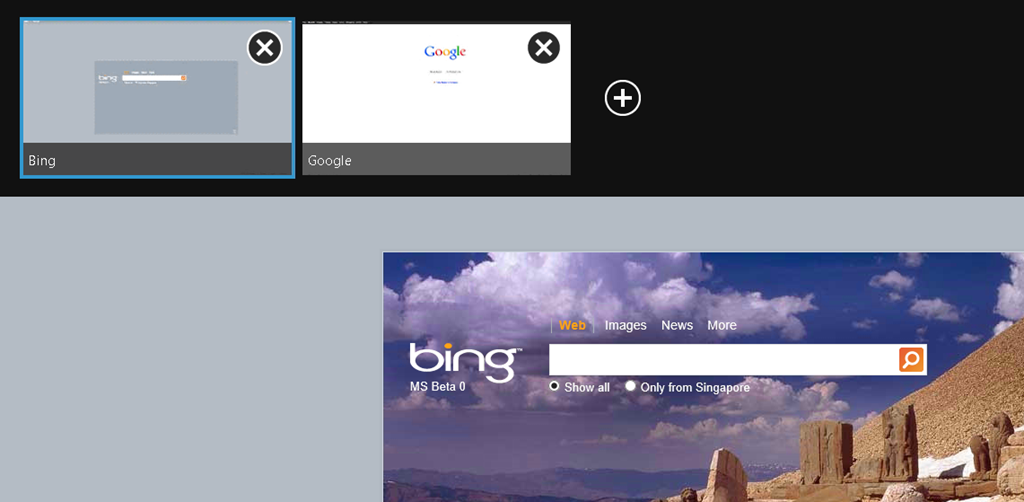
To view/add the tabs of Internet Explorer from the tile display, right click anywhere on the currently open Internet explorer page; the tabs will appear at the top.
ValidateRequest is a good feature that ASP.Net provides to help developers to code well to protect their applications against the menace of the all prevalent web application security issue – XSS.
ValidateRequest is a page attribute that is intended to get or set a value that determines whether ASP.NET examines input from the browser for dangerous values. If that is enabled and the input in the browser contains any “dangerous” tags – ones that can be used to execute scripts/write code that the browser will execute then an error is generated: 
The above error is generated when the url contains the script segment as a query string parameter. The query string looks something like this for test purpose:
<asp:MenuItem NavigateUrl="~/About.aspx?h=123&y=alert(‘sp@wned’);” Text=”About”/>
So I just wanted to check the extent of usability of validateRequest. In the “About.aspx” page, I have a script snippet that parses the url and evaluates the querystring parameters to arrange the display of the page. If I want to bypass the validateRequest limitation imposed, I need to make my querystring parameter free of any script tags. Considering that the script code in my page uses a java script Eval, I changed the query string parameter as below and validateRequest did not complain:

So it is not a very good idea to put too much trust on validateRequest to do the magic of input validation for an application. It can be easily and effectively bypassed.
In general information security interviews around Access control, the candidates needs to understand the following:
o Understand the Access control techniques
o Understand Access control administration
o Understand Access control models
o Understand Identification and Authentication techniques
o Understand Access control methodologies
o Methods of Attacks on the Authentication systems
o Intrusion Detection.
Some typical questions that are asked around Access Control Techniques are listed below:
1) What do you mean by Access control techniques?
Access control techniques define the ways to implement access control mechanisms.
2) What are the types of Access control techniques?
Various types of Access control techniques are used based on the environment where the access control mechanism is implemented. These include:
I. Discretionary Access Control – DAC
II. Mandatory Access Control – MAC
III. Lattice Based Access Control – LBAC
IV. Role based Access Control – RBAC
V. Rule based Access Control – RBAC
3) What is Discretionary Access Control – DAC?
In DAC the access to a resource, say a file is controlled by the owner of that file. In other words if there are no owner for a resource that resource is accessible any one. The owner of the file, at his discretion, grants/denies access to the resource he/she owns.
DAC has a number of inherent risks mainly because there is no centralized administration. Considering that each file owner controls the access to the file that they own and that not all owners are equally security aware, this model often leads to inconsistencies in the implementation of DAC.
4) What is Mandatory Access Control – MAC?
Mandatory Access control is not discretionary or optional. In this method of implementing Access control, all resources are provided with a security label. Access to that label of information is based on the requestor having the clearance (same security label) to view the resource. This model is also called multilevel access control because it classifies resources into various levels and access to those resources requires that the caller has the permissions levels to view/access the resource.
MAC is usually used in scenarios that require high level of security like for example defense related information, etc.
5) What is Lattice based Access control – LBAC?
This model is used in multiuser environments with multiple security requirements. For example it is used in database access. Lattice is a mathematical structure that holds the answers to the following questions:
I. Given two objects having different security classifications what is the minimum security label that a user must have to access both the resource.
II. Given there are two users, what is the maximum security label possible on the object such that both the users can access the resource.
6) What is Rule Bases Access Control – RBAC?
The Rule Based Access Control technique is so implemented that any resource request is intercepted by the system and then compared against a set of rules set against that resource before the request is granted if the rules are satisfied. ACLs are example of Rules based Access control implementation.
7) What is Role Based Access Control – RBAC?
The Role Based Access control can be regarded as an alternative to the DAC and MAC. In this technique, the access control implementation is done based on the structure of the organization. In this technique each user is assigned a role in the system and each role is in turn assigned a set of rights/privileges. If the role to which and user belongs then they have access or else access is denied to the resource.
8) What are the main Account control administration activities?
• Account Administration:
This is a straight forward process wherein the user accounts are created as and when needed with adequate approvals and removed as soon as the accounts are no longer needed.
• Account, Log and journal monitoring:
Account access, particularly the super users and administration, accounts should be logged and monitored. Monitoring helps identify and investigate suspicious activities.
9) How do you determine system level monitoring?
This can be done in three ways:
• File and data owners
• Through principle of least privilege
• Through segregation of duties and responsibilities.
10) How do you enforce Authorization at the file and data level?
Each resource should be assigned an owner who is responsible for maintaining and administering the resource’s rights and permissions. Without owners and custodians, data and objects are not controlled. With ownership, responsibility is defined and users know whom to contact with problems and/or questions.
11) What are the various access control models?
Various access control models are:
• Bell-LaPadulla model
• Biba model
• Clark-Wilson model
• Non-Interference model
12) What are the main Authentication techniques?
Main Authentication techniques include:
• Knowledge based authentication. Example Password/Passphrase
• Characteristics based authentication. Example biometrics/finger prints
• Tokens. Example RSA SecureID
• Tickets. Example Kerberos.
13) What are the various Access control methodologies and Implementations?
All access control methodologies can be classified into following two categories:
• Centralized Access controls
• Decentralized Access controls
14) What is Centralized access control methodology?
In general centralized access control means that a company maintains the user accounts, rights and permissions at one centralized location. There are two main ways using which it can be done:
• RADIUS:
Remote Authentication Dial-In User is a client server protocol and software that enables remote access servers to communicate with a central server for authenticating dial in users and authorize access to the required resource. RADIUS maintains the user profiles in a centralized database that all remote servers can share. It provides better security, allowing a company to set up policies that can be administered at a single network point.
• TACACS:
Terminal controller Access Control System is an older protocol usually used in UNIX that allows a remote access server to forward a user’s logon password to an authentication server to determine whether access can be allowed to a given system. TACACS is an unencrypted protocol. TACACS has been replaced by TACACS+ that is built on TCP.
15) What is Decentralized Access control methodology?
With decentralized access control methodology user account information, permissions, rights are stored in different computers across the network. Windows NT uses this approach for access control.
• Domains:
Domains are large central units of management for Windows NT networks. A domain is collection of computer and user accounts managed by a central authority. Domains help break large network into smaller groups of resources that are easier to manage. Domains are administrative as well as security entities. When the users log into an account they log into a domain, and have access to the resources in that domain, if they have permissions. An account can have access to multiple domains.
• Trust:
Users in one domain cannot access the resources in another domain unless the administrators of that domain have trust relationships established between the two domains. A trusting domain allows enables another domain (the trusted domain) to access its resources.
16) What are the general attack types on Access control systems?
• Denial of Service
• Spoofing
• Man in the Middle
• Brute force
• Dictionary
• Spamming
In security world it is regarded as a good practice to disclose as less information as possible to the end user as is just enough to get the work done.
A typical example is the case when the user provides invalid logon credentials. Applications ideally should let the user know that the credentials provided are not correct w/o getting into the details of which one (User name or the password) actually is not as required. The message should be such that a malicious user should not be able to deduce which of the two are correct or incorrect– as it simply reduces the attacker’s work to half; he needs to figure out only one component as the application itself somehow tells me which component is correct.
Here is what Yahoo! does when I provide an invalid user id. What I did here is a unintentional typo in the user name. I as an end user now know for sure that the id I am trying to play with is incorrect.

Below is the message that is shown when I type the correct user name but incorrect password:

I am sure now that the id is correct and the only thing I need to figure out is the password (and go out doing some Social engineering stuff??)
The ones with a security hat on can deduce permutations to figure out stuff.
While I understand that this is NOT something that affects anyone drastically, but when it comes to setting examples of proper security measures for the end users, it advisable to be thorough, at least with such vanilla stuff. As they say SECURITY IS AS STRONG AS THE WEAKEST LINK.
 Random Thoughtz